"Change Garmin band without tools" is one of the most common searches around Garmin watches – for good reason. Garmin uses two different attachment systems depending on the model, and only one of them actually lets you skip the tools.
Two systems: spring bar and QuickFit
On smaller and older Garmin models, the band sits on a classic spring bar, the same kind you'd find on a mechanical watch. To swap it, you compress the pin with a spring-bar tool (or, in a pinch, a fingernail) and pull the band off.
On many larger and outdoor models, Garmin instead uses its own QuickFit system. A small latch or slider sits on the underside of the band. There's nothing to compress or pry open – the band slides straight off the pin, and a new one snaps on just as easily.
How to tell which system your watch has
Turn the watch over and look at the point where the band meets the case. If you see a small latch or slider on the band itself, you have QuickFit. If the join is smooth and all you can see is a thin metal pin, it's a classic spring bar. QuickFit is common on many fenix, epix and Instinct 2 models, as well as larger Venu and Vivoactive watches, while more compact trackers such as the Vivofit line typically use a spring bar.
Changing a band without tools (QuickFit)
- Lay the watch face-down.
- Slide the latch on the underside of the band in the indicated direction until it releases.
- Carefully pull the band off the mounting pin.
- Line up the new band and press it on until it clicks into place.
Changing a band with tools (classic spring bar)
- Position a spring-bar tool, or a thin pin, against the spring bar.
- Gently compress the pin until it slips out of the hole in the watch case.
- Remove the old band.
- Fit the new band and let the spring bar click back into the hole.
Both processes usually take just a couple of minutes, as long as you follow the mechanism instead of forcing the band off.
Why Garmin runs two systems side by side
QuickFit is aimed mainly at people who want to swap bands depending on the occasion – silicone for training, leather or nylon for everyday wear. On more compact models, such as many Vivofit generations or older Vivoactive watches, Garmin still uses the classic spring bar, partly because the slimmer case leaves less room for the QuickFit mechanism. Which system a model gets depends on its case size and intended use, not on price.
Material and fit when choosing a replacement band
Besides the attachment system, two other things matter: the wrist size range a band is built for, and the clasp at the other end (pin buckle or fold-over clasp). Silicone bands are often sold in two lengths, or with multiple holes, so they fit both slim and larger wrists. If you wear the band during exercise, check for smooth edges near the clasp so nothing rubs.
Finding the right replacement band
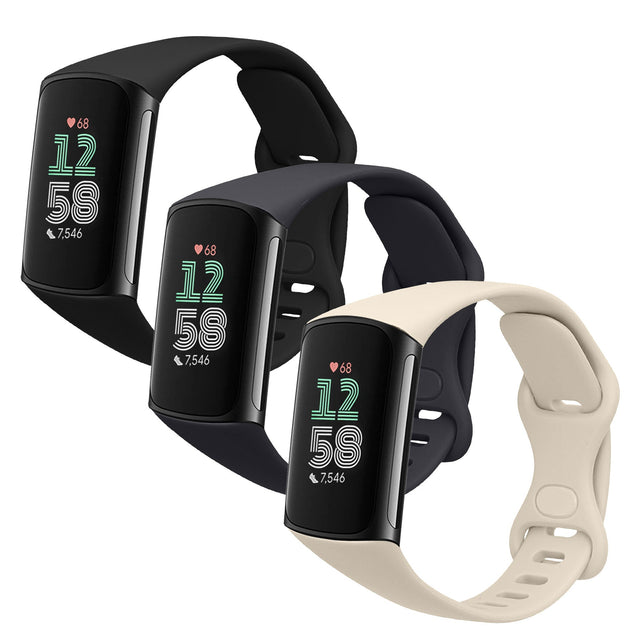
More important than the raw band width (20, 22 or 26 mm) is whether the replacement is built for your attachment system. A standard band without a QuickFit latch won't fit a QuickFit mount, even if the width matches. kwmobile carries replacement bands for numerous Garmin models, including:
- Garmin Venu 4 (45 mm)
- Garmin Venu Sq 2 / Vivoactive 6 / Vivoactive 5
- Garmin Vivoactive 6 / Vivomove Trend / Forerunner 55
- Garmin Forerunner 55
See the full range in the Garmin accessories collection.
FAQ
Do I really not need any tools for QuickFit bands?
Correct. The system is designed specifically so bands can be swapped by hand, with no spring-bar tool involved.
Does a 22 mm band automatically fit any watch with a 22 mm connection?
Not necessarily. The width has to match, but the band also needs to suit your model's attachment system, QuickFit or spring bar.
Can I fit a regular leather band on a QuickFit watch?
Only if that leather band is itself built with a QuickFit mount. A standard band with a plain spring bar won't clip into a QuickFit housing.
How do I tell if my model has QuickFit without opening up the watch?
Just look at the back of the band: a visible latch or slider is the clear sign of QuickFit.
Does changing the band affect settings or the phone connection?
No, swapping the band only affects the mechanical attachment. Time, activity data and the Bluetooth pairing stay untouched.
![kwmobile 2x Uhrenarmband für Garmin Venu 4 45mm Armband - Fitnesstracker Band Set aus TPU Silikon - Ersatzarmband Smartwatch - Schwarz Orange Schwarz [dsg02]](http://kwmobile.co.uk/cdn/shop/files/gross_image_KWM000041CX002C_3.jpg?v=1774013193&width=533)